

Apex Print Pac

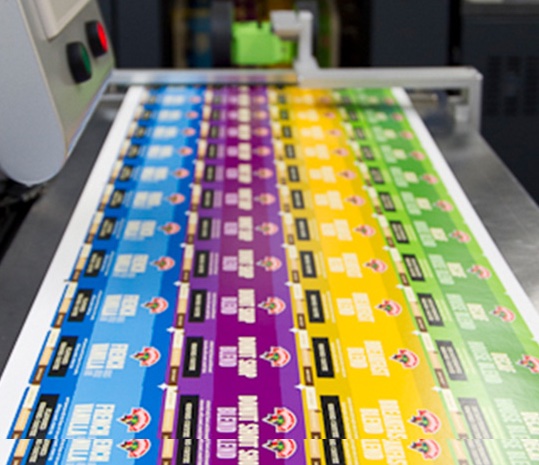
Flexographic printing is a popular method for printing large orders of custom labels at rapid speeds

Flexo label printing is a popular method of printing labels that are used on various products in different industries, including food and beverage, pharmaceutical, cosmetic, and personal care. This method of printing is ideal for producing high-quality, durable labels that can withstand various environmental conditions. In this article, we will explore the different aspects of flexo label printing, including the process, materials, advantages, and applications.

What is Flexo Label Printing?

Flexo label printing is a printing process that utilizes flexible printing plates made of rubber or photopolymer materials. The plates are mounted on a cylinder, which rotates and transfers ink onto the substrate (the material to be printed on). The ink is transferred through a series of rollers, each with a specific function, such as ink metering, impression, and transfer.

The flexo printing process allows for a wide range of colors and high-quality printing, with the ability to print on a variety of substrates, including paper, plastic, and metallic materials. It is also possible to add finishing touches to the label, such as embossing, varnishing, and laminating.

At Apex Print Pac we print labels that offers high-quality, durability and  are utmost industrial standards.


Materials Used in Flexo Label Printing

Flexo label printing utilizes various materials, including inks, substrates, and printing plates.

Inks:

Flexo inks are formulated with special properties to adhere to a variety of substrates and dry quickly. The inks are made of four components: pigments, binders, solvents, and additives. Pigments provide the color, binders hold the pigments together, solvents carry the ink to the substrate, and additives improve the ink’s properties, such as viscosity and drying time.

Substrates:

Flexo label printing can be done on a variety of substrates, including paper, plastic, and metallic materials. The choice of substrate depends on the application and the required durability of the label. For example, food and beverage labels must be able to withstand moisture, while pharmaceutical labels must be resistant to chemicals.

Printing Plates:

Flexo printing plates can be made of rubber or photopolymer materials. Rubber plates are more traditional and are made by carving out the design on a rubber material. Photopolymer plates are created by exposing a light-sensitive polymer material to UV light through a film negative. The exposed areas harden, while the unexposed areas are washed away, leaving the design on the plate.

Advantages of Flexo Label Printing

Flexo label printing offers several advantages, including:

Durable labels:​

Flexo labels are durable and can withstand various environmental conditions, making them ideal for a range of applications.

Wide range of substrates:

Flexo printing can be done on a variety of substrates, including paper, plastic, and metallic materials.

Fast production:

Flexo printing is a fast process, allowing for quick turnaround times.

Cost-effective:

Flexo printing is a cost-effective printing method for large production runs.

High-quality printing:

Flexo printing offers high-quality printing with vibrant colors and sharp images.

Applications of Flexo Label Printing

Flexo label printing is used in various industries, including:

Food and beverage:

Flexo labels are commonly used in the food and beverage industry for product labeling, such as on bottles, cans, and packaging.

Pharmaceutical:

Flexo labels are used in the pharmaceutical industry for product labeling, such as on medicine bottles and packaging.

Cosmetic and personal care:

Flexo labels are used in the cosmetic and personal care industry for product labeling, such as on shampoo bottles and makeup packaging.

Industrial:

Flexo labels are used in the industrial industry for labeling products such as chemicals, automotive parts, and electronics.

flexo label

Как правильно устанавливать лимиты в Dragon

Как правильно устанавливать лимиты в Dragon

Как устанавливать лимиты в Dragon

Приложение Как устанавливать лимиты в Dragon Money (Драгон Мани) Dragon Money скачать на андроид позволяет пользователям эффективно управлять своими финансами. Одной из ключевых функций этого приложения является возможность устанавливать лимиты на различные категории расходов. Установка лимитов помогает контролировать бюджет, избегать ненужных трат и сберегать деньги для достижения финансовых целей. В этой статье мы подробно рассмотрим, как правильно устанавливать лимиты в Dragon, а также дадим советы по их использованию.

Почему важно устанавливать лимиты?

Лимиты на расходы – это важный инструмент финансового контроля. Они помогают:

  • Избежать долгов: Установив лимиты, вы можете контролировать, сколько денег тратите каждый месяц, и избегать ненужных долгов.
  • Сэкономить деньги: Лимиты на определенные категории расходов, такие как развлечения или еда, помогут вам сэкономить деньги для сбережений или инвестиций.
  • Создать финансовые цели: Вы можете установить лимиты, ориентируясь на свои финансовые цели, будь то покупка дома, автомобиля или путешествия.

Как установить лимиты в Dragon

Устанавливать лимиты в приложении Dragon достаточно просто. Следуйте пошаговой инструкции:

1. Запуск приложения

Сначала запустите приложение Dragon на вашем устройстве. Если у вас его еще нет, вы можете скачать Dragon Money на андроид и установить его.

2. Вход в свой профиль

Введите свои учетные данные, чтобы войти в свой профиль. Если вы еще не зарегистрированы, создайте новый аккаунт.

Как правильно устанавливать лимиты в Dragon

3. Переход в раздел “Бюджет”

На главной странице приложения перейдите в раздел “Бюджет” или “Управление финансами”. Здесь вы сможете увидеть текущие расходы и доходы.

4. Установка категорий расходов

Для каждой категории расходов (например, еда, транспорт, развлечения) вы можете установить индивидуальный лимит. Нажмите на категорию, которую хотите изменить, и выберите опцию “Установить лимит”.

5. Выбор суммы лимита

Введите желаемую сумму лимита для выбранной категории. Помните, что сумма должна быть реалистичной и соответствовать вашему общему бюджету.

6. Сохранение изменений

После ввода суммы нажмите кнопку “Сохранить”, чтобы сохранить изменения. Лимит будет применен к вашей категории расходов.

Советы по эффективному использованию лимитов

Установка лимитов – это только первый шаг. Для эффективного управления бюджетом следуйте этим советам:

  • Регулярно пересматривайте лимиты: Ваши потребности могут меняться, поэтому важно периодически пересматривать и корректировать свои лимиты.
  • Анализируйте расходы: Используйте функции анализа в приложении для отслеживания расходов и выяснения, где вы можете сэкономить.
  • Ставьте реалистичные цели: Не устанавливайте слишком низкие лимиты, чтобы избежать стресса. Оценивайте свои расходы и ставьте достижимые цели.
  • Соблюдайте дисциплину: Важно придерживаться установленных лимитов, чтобы достичь финансовой стабильности и уверенности.

Заключение

Установка лимитов в приложении Dragon – это отличный способ контролировать свои финансы и достигать финансовых целей. Следуя нашим рекомендациям и используя функции приложения, вы сможете эффективно управлять своим бюджетом и улучшать финансовое состояние. Не забудьте периодически пересматривать установленные лимиты и адаптировать их под ваши текущие нужды. Удачи в управлении вашими финансами!

Leave a Comment

Your email address will not be published. Required fields are marked *

Shopping Cart